
Stop Losing Your AI Research
in Chat History
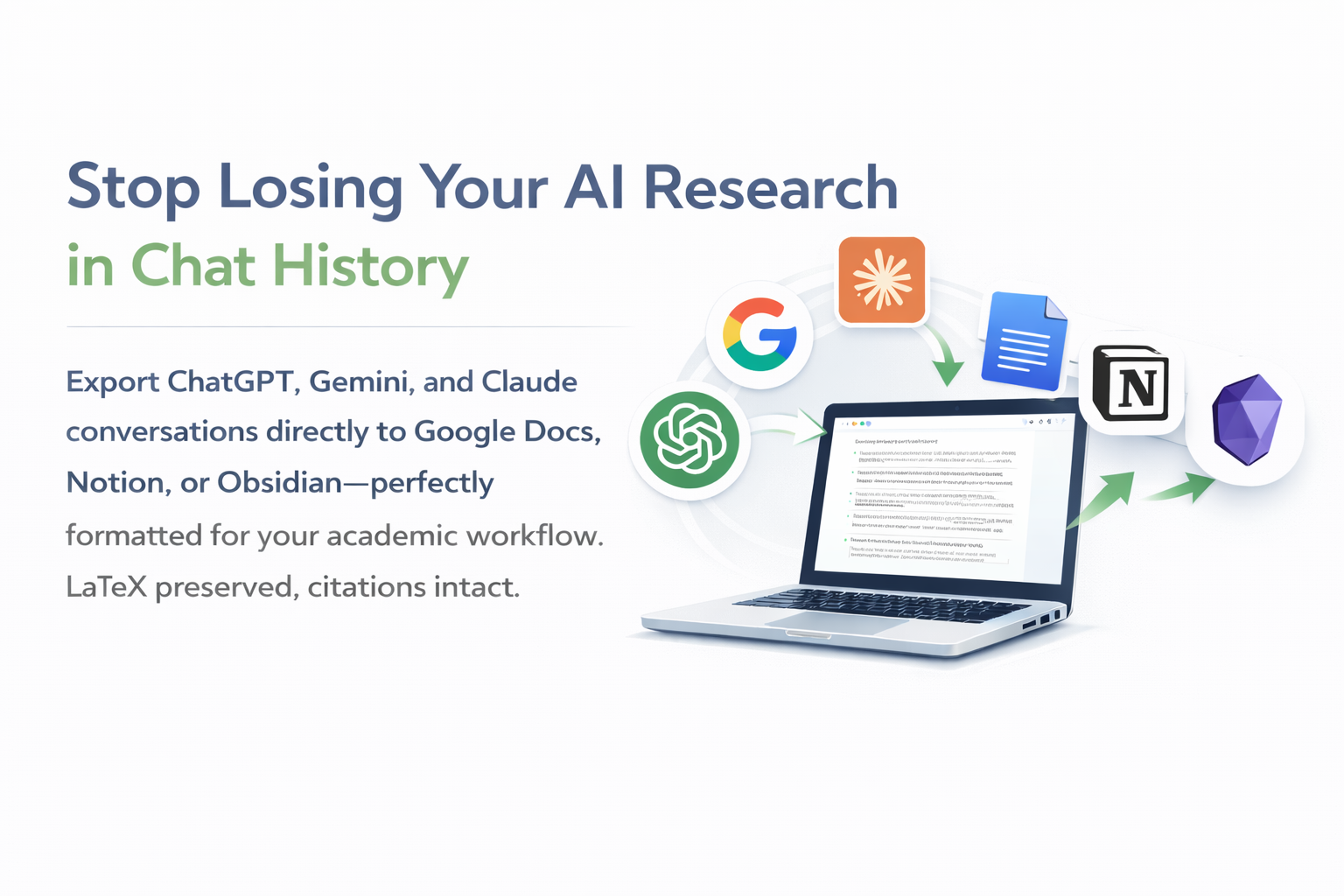
Export ChatGPT, Gemini, and Claude conversations directly to Google Docs, Notion, or Obsidian—perfectly formatted for your academic workflow. LaTeX preserved, citations intact.
For PhD students, professors, and research teams
Trusted by Academic Researchers Worldwide
Join thousands of PhD students, professors, and research teams using Pactify
Research Workflow
AI conversations connected to academic workflows monthly
Active Researchers
PhD students, professors, and research teams worldwide
Productivity Boost
Average time saved on formatting and data transfer tasks
Your AI Research, Organized in 3 Clicks
Simple workflow that saves you hours every week
Chat with AI
Work normally in ChatGPT, Claude, or Gemini. Discuss papers, write drafts, analyze data—just like you always do.
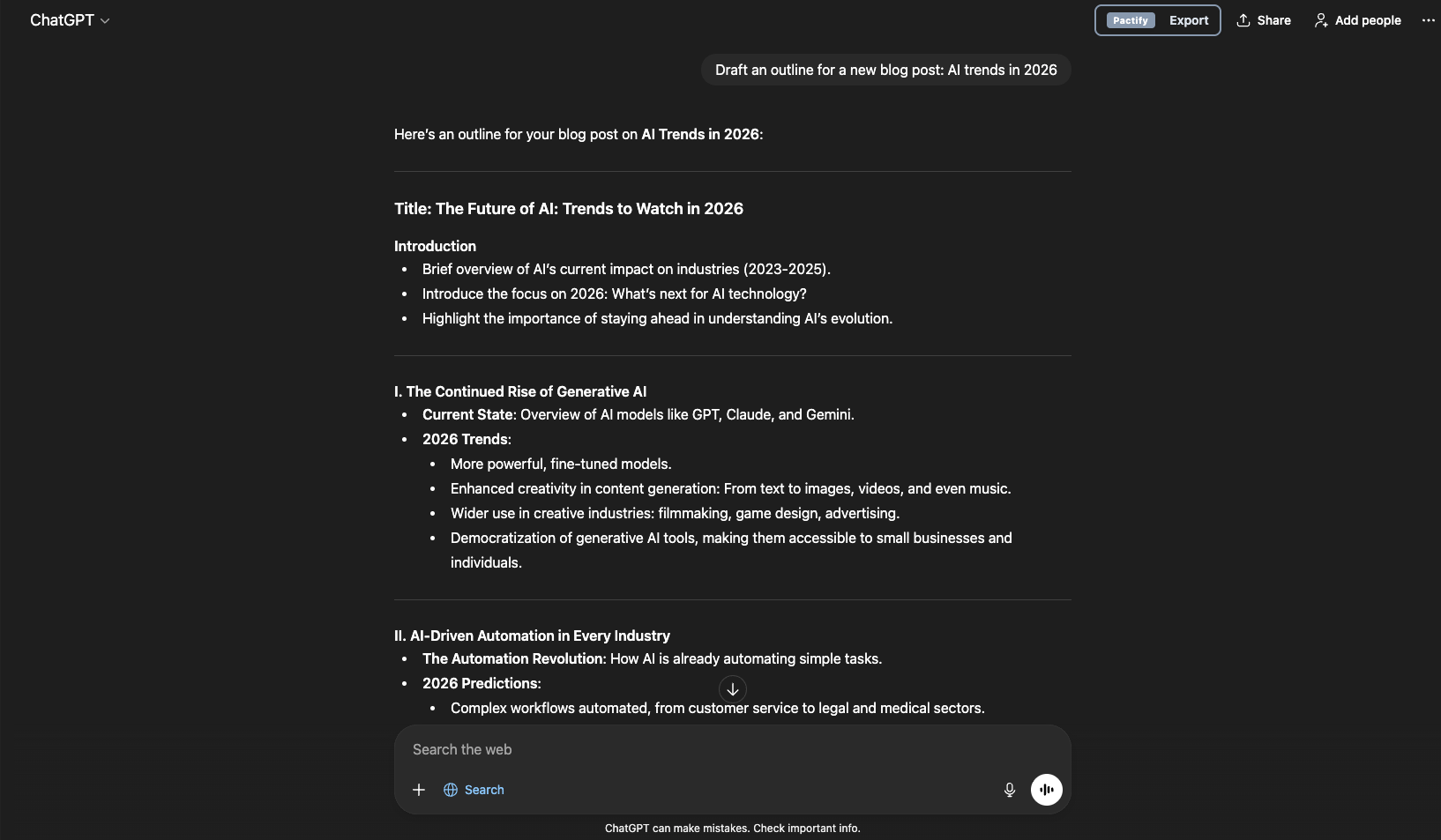
One-Click Export
Click our extension button. Choose your destination: Google Docs, Notion, or Obsidian. That's it.
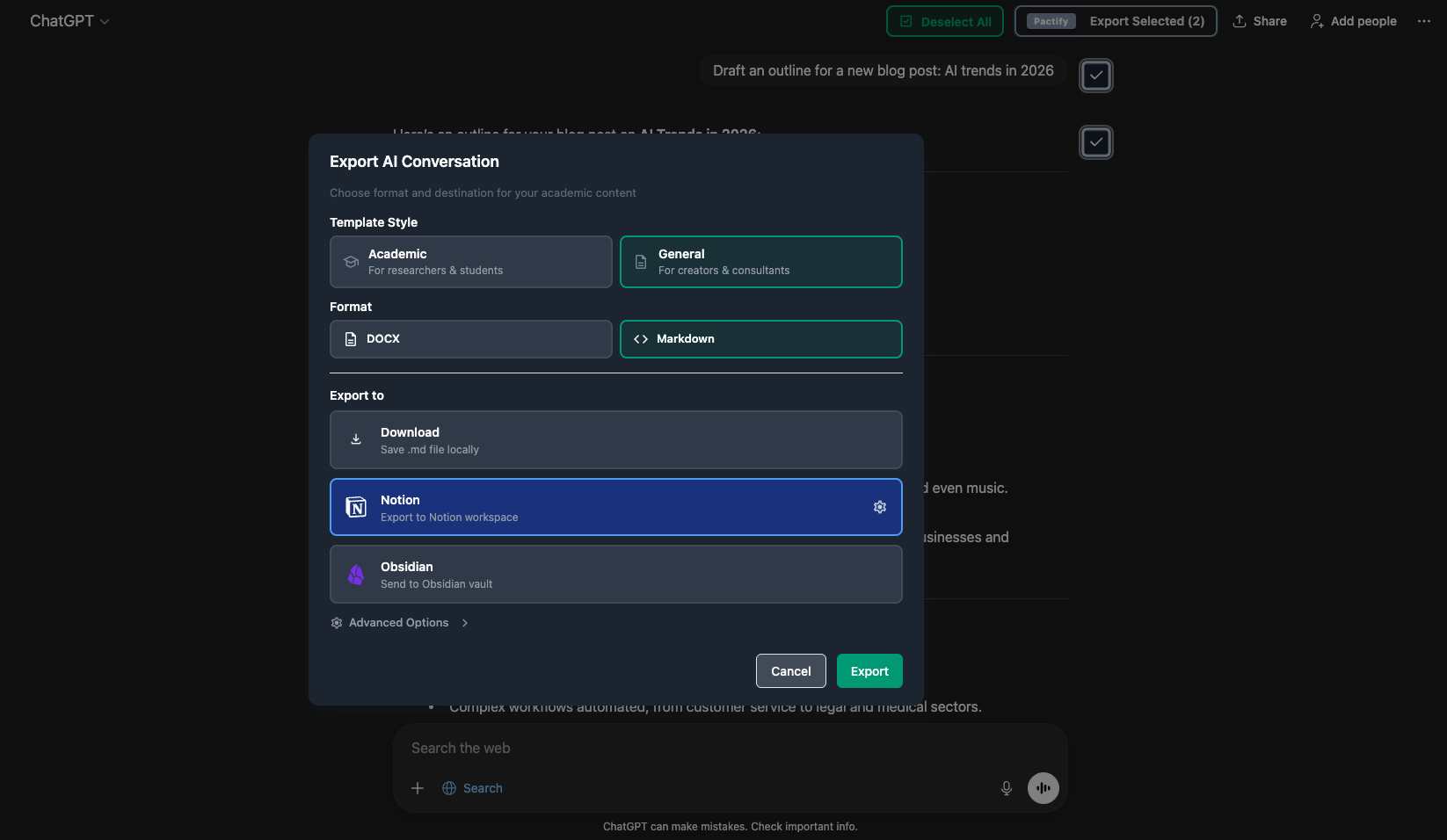
Perfect Format
Content appears in your chosen platform with perfect formatting. LaTeX preserved, citations intact, metadata added.
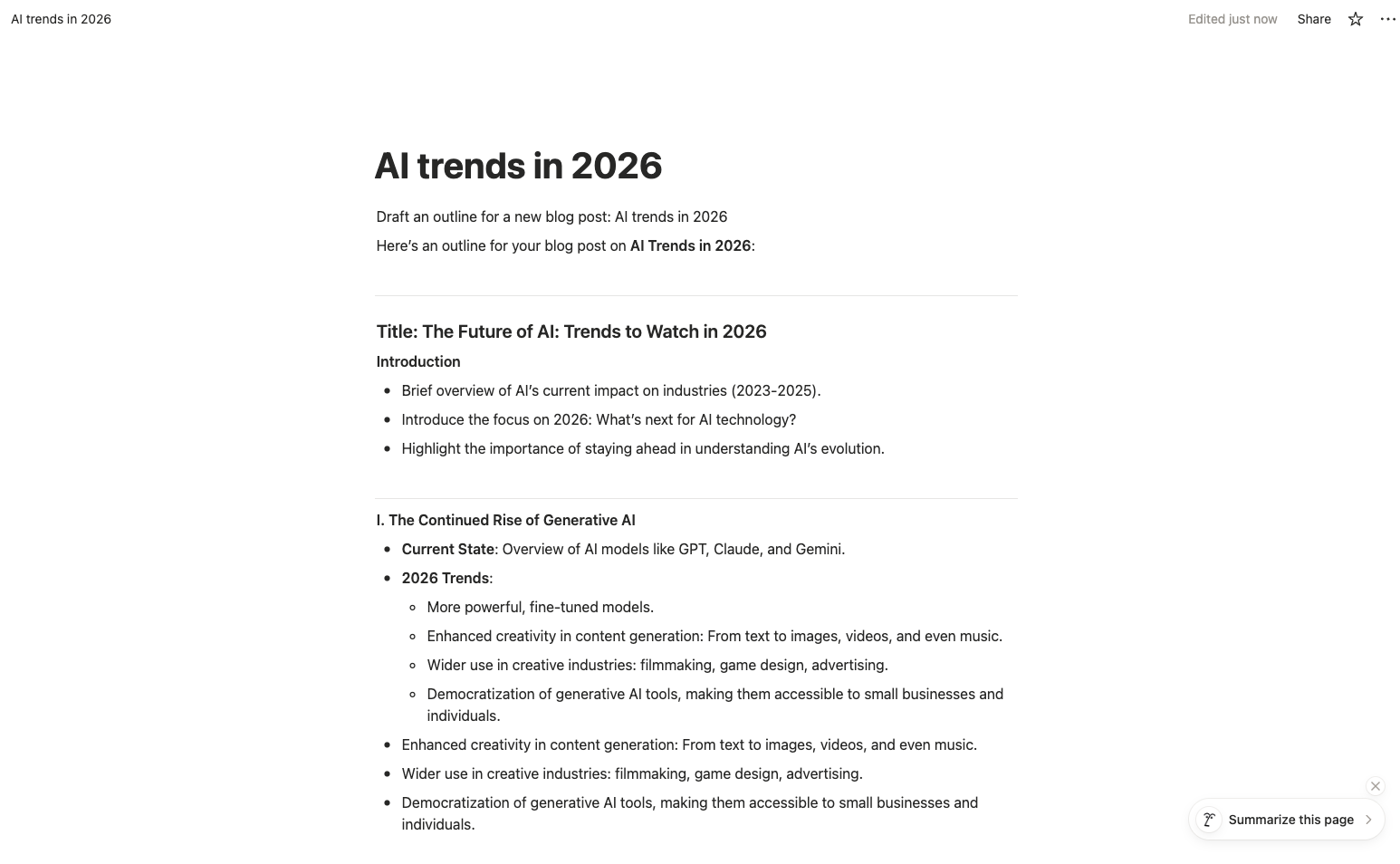
Preserves formatting
Citations, equations, code blocks
Automatic metadata
Date, topic, tags
Searchable
Find any conversation instantly
The Academic Workflow Challenge
Researchers waste countless hours on manual tasks that break their flow
Copy-Paste Nightmare
Manually copying AI conversations to Word loses LaTeX equations, code formatting, and citation structures. Every transfer requires hours of reformatting.
- • LaTeX equations break
- • Code blocks lose syntax highlighting
- • Citations become plain text
Formatting Disasters
ChatGPT's export loses academic formatting. Tables become unreadable, mathematical notation disappears, and document structure collapses.
- • Tables break across pages
- • Heading hierarchy lost
- • Footnotes vanish
Version Chaos
Multiple AI conversations scattered across platforms. No way to organize, track, or reference previous research discussions.
- • Can't find previous conversations
- • No conversation metadata
- • Lost research context
Context Switching Tax
Constantly switching between ChatGPT, Google Docs, Zotero, and reference managers breaks deep research focus and wastes precious time.
- • Interrupts research flow
- • 5-10 minutes per transfer
- • Mental fatigue accumulates
Pactify Solves All of This
One-click connection from ChatGPT, Gemini, or Claude to Google Docs, Notion, or Obsidian—with perfect formatting, LaTeX preservation, and citation integrity.
From 15 Minutes to 30 Seconds
Real workflow transformation, measured by actual users
per AI conversation export
Open AI chat interface — Navigate to the specific conversation
~2 min
Select and copy content — Scroll through entire conversation, manually select relevant parts
~3 min
Switch to destination app — Open Google Docs, Notion, or Obsidian
~1 min
Paste and deal with broken formatting — LaTeX equations turn into gibberish
~2 min
Fix all formatting manually — Re-type equations, restructure citations, fix code blocks
~5 min
Add metadata manually — Type date, topic, tags for future searchability
~1 min
Lose your train of thought — Forget what you were researching in the first place
Mental context lost
Weekly cost: 15 min × 10 exports = 2.5 hours of tedious work
per AI conversation export
Click Pactify extension button — One button in your browser
~5 sec
Choose destination — Google Docs, Notion, or Obsidian
~5 sec
Done! — Content appears perfectly formatted with metadata
~20 sec (automatic)
Weekly savings: 14.5 min × 10 exports = 2+ hours for actual research
Side-by-side workflow comparison video
(Coming soon)
Start with 30 free exports per month — No credit card required
Academic Use Cases: From Research to Publication
Streamline every stage of your academic workflow with AI-powered tools
Literature Reviews
Discuss papers with ChatGPT, extract key insights, and connect synthesized summaries directly to your reference manager or Obsidian vault.
"Reduced literature review time from 2 weeks to 3 days. Pactify keeps all my AI research discussions organized."
- PhD Student
Paper Writing & Drafting
Generate paper sections with AI, export to Google Docs with perfect LaTeX formatting, and collaborate with co-authors seamlessly.
"First draft to submission in half the time. LaTeX equations stay perfect through the entire workflow."
- Assistant Professor
Data Analysis & Coding
Debug code, analyze datasets with Claude or ChatGPT, and export analysis scripts with syntax highlighting to your documentation.
"AI helps me debug R scripts. Pactify saves the solutions to my Notion lab notebook automatically."
- Research Scientist
Grant & Funding Proposals
Brainstorm research directions with AI, refine proposal language, and connect polished sections to collaborative grant documents.
"Used AI to refine my NSF proposal. Pactify made version control so much easier."
- Professor
Course & Lecture Preparation
Create lecture outlines, practice problems, and teaching materials with AI, then connect them to your course management system.
"Prep time cut in half. AI generates examples, Pactify organizes them in my Google Drive."
- Lecturer
Lab Notes & Documentation
Document experimental procedures, troubleshoot methodologies with AI, and maintain organized research logs in Obsidian or Notion.
"My lab notebook is now AI-enhanced. Every experiment documented with context."
- Postdoc
Academic Features That Matter
Designed specifically for research workflows—not generic export tools
LaTeX Equation Preservation
Mathematical equations stay in LaTeX format across all platforms—ChatGPT, Gemini, and Claude. Copy-paste with zero degradation for academic papers.
Academic Format Templates
Export as Academic Paper, Clean Chat, or Markdown. Each format optimized for different research stages—from notes to publication.
Citation & Reference Preservation
Keep citation structures intact. References, footnotes, and bibliographic data transfer cleanly to your reference management tools.
Code Syntax Highlighting
Python, R, MATLAB, Julia code blocks maintain syntax highlighting. Perfect for computational research documentation.
One-Click Workflow Integration
Connect directly to Google Docs for collaboration, Notion for lab notebooks, Obsidian for knowledge management. Zero friction.
Universal AI Platform Support
Works seamlessly with ChatGPT, Google Gemini, and Claude. Use the best AI for each research task without workflow disruption.
Trusted by Leading Research Institutions
Researchers from top universities worldwide rely on Pactify daily
"Game changer for my literature review. I can discuss 20+ papers with ChatGPT and export organized summaries to Obsidian instantly. Saved me weeks of work."
"My entire lab uses Pactify. We collaborate on AI-generated analyses in Google Docs with perfect LaTeX equations. Publishing papers is 2x faster now."
"Claude helps me debug simulation code, Pactify saves everything to my Notion lab notebook. I never lose important AI conversations anymore."
Academic Resources & Guides
Learn how to integrate AI into your research workflow
Ready to Transform Your Research Workflow?
Join 2,000+ researchers who save 5+ hours per week by connecting AI conversations directly to their workflow tools. Start free, upgrade anytime.
Frequently Asked Questions
Everything academics ask us about Pactify
Is my research data safe and private?
Yes, absolutely. Pactify only processes data locally in your browser and directly transfers it to your chosen destination (Google Docs, Notion, Obsidian). We never store your AI conversations or research content on our servers. All data transmission is encrypted end-to-end. Your intellectual property and unpublished research remain 100% private.
Does this work with citations and bibliographies?
Yes. Pactify preserves citation formatting from AI conversations. If ChatGPT or Claude generates citations in APA, MLA, Chicago, or any other format, we maintain that structure when exporting. However, we recommend using Zotero or Mendeley for managing your full bibliography. Pactify is perfect for transferring AI-generated summaries and citation suggestions into your reference manager workflow.
What about LaTeX equations and mathematical notation?
Fully supported. Pactify automatically detects and preserves LaTeX syntax—both inline ($...$) and display mode ($$...$$). When exporting to Google Docs, equations render as proper mathematical notation. For Notion and Obsidian, LaTeX code is preserved exactly as written. This works for complex equations, matrices, chemical formulas, and any other TeX notation.
Do you offer student or institutional discounts?
Our free plan is designed for students! With 30 free connections per month, most graduate students stay on the free tier throughout their entire PhD. If you need unlimited exports, our $4.90/month Starter plan is already very affordable. We're working on institutional licenses for university departments and research labs—contact us at contact@pactify.io if your institution is interested.
Can I export old AI conversations retroactively?
Yes! Pactify works with your entire ChatGPT, Claude, and Gemini conversation history. Simply navigate to any old conversation, click the Pactify extension button, and export it to your chosen destination. This is perfect for organizing months of research discussions you've accumulated before discovering Pactify.
Does code syntax highlighting work?
Absolutely. Pactify preserves code blocks with full syntax highlighting for Python, R, MATLAB, JavaScript, and 100+ other languages. Code formatting is maintained exactly as it appears in your AI conversation—indentation, comments, line breaks all preserved. Perfect for computational researchers and data scientists documenting analysis workflows.
What if I need technical support?
We're here to help! Email us at contact@pactify.io and we typically respond within 24 hours (even to free users). Paid Starter plan users get priority support with faster response times.
Which AI platforms and export destinations do you support?
AI Platforms: ChatGPT, Claude (Anthropic), Google Gemini. Export Destinations: Google Docs, Notion, and Obsidian. We're constantly adding support for more platforms—upcoming integrations.
Is using AI tools with Pactify academically ethical?
Pactify is a productivity tool, not a shortcut. Just like Zotero or LaTeX, we help you organize and format your work more efficiently. Whether using AI is appropriate depends on your field, institution, and how you use it. Many researchers use AI for: brainstorming ideas, literature synthesis, code debugging, and draft editing—all valid scholarly activities. Always follow your institution's AI usage policies and properly disclose AI assistance where required. Pactify helps you stay organized regardless of how you choose to use AI ethically.
Still have questions? We're happy to help!