
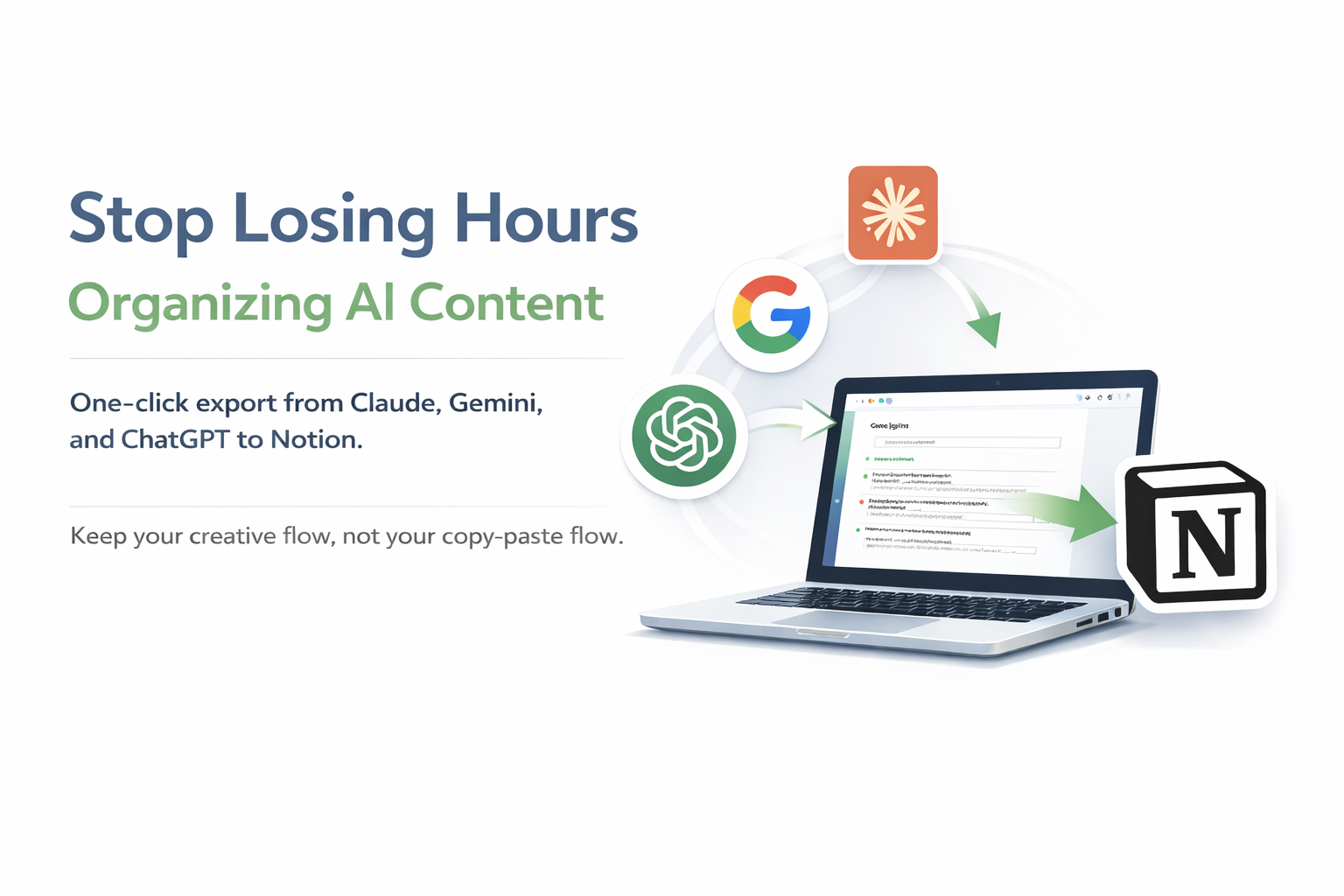
Stop Losing Hours
Organizing AI Content
One-click export from ChatGPT, Gemini, and Claude to Notion. Keep your creative flow, not your copy-paste flow.
For writers, video creators, podcasters, and content teams
Sound Familiar?
You're not alone. These are the top frustrations we heard from 100+ content creators.
Switching between ChatGPT and Notion 20+ times a day. Each time losing your flow and wasting precious creative energy.
Lists become paragraphs. Code blocks turn into plain text. Emojis disappear. You spend 30 minutes reformatting what AI gave you in 5.
AI chat here, Notion there, back to AI, back to Notion. Your brain is context-switching constantly, killing productivity.
Your best ideas are buried in 50+ AI conversations. You can't find that perfect outline from last month. It's lost forever.
Which conversation was for which video? What about that podcast script? No way to connect AI chats to your projects.
That framework AI created? Gone. That content structure? Can't find it. You're recreating the same prompts over and over.
"AI saves me 30 minutes... then I lose 90 minutes organizing it."
This is the reality for most content creators. But it doesn't have to be yours.
Your Content, Organized in 3 Clicks
Simple workflow that saves you hours every week
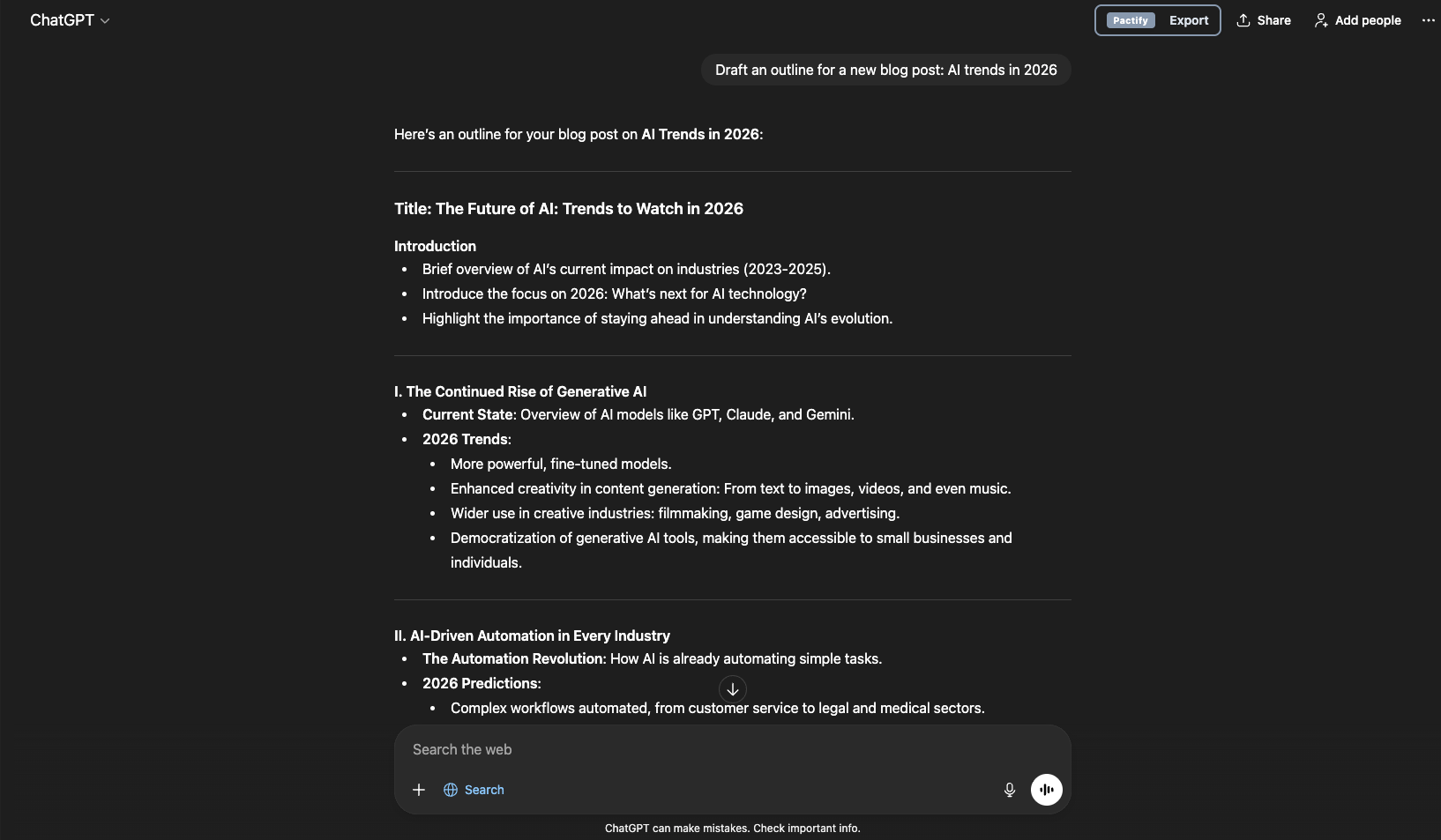
Create with AI
Work normally in ChatGPT, Claude, or Gemini. Write scripts, brainstorm ideas, draft content—just like you always do.
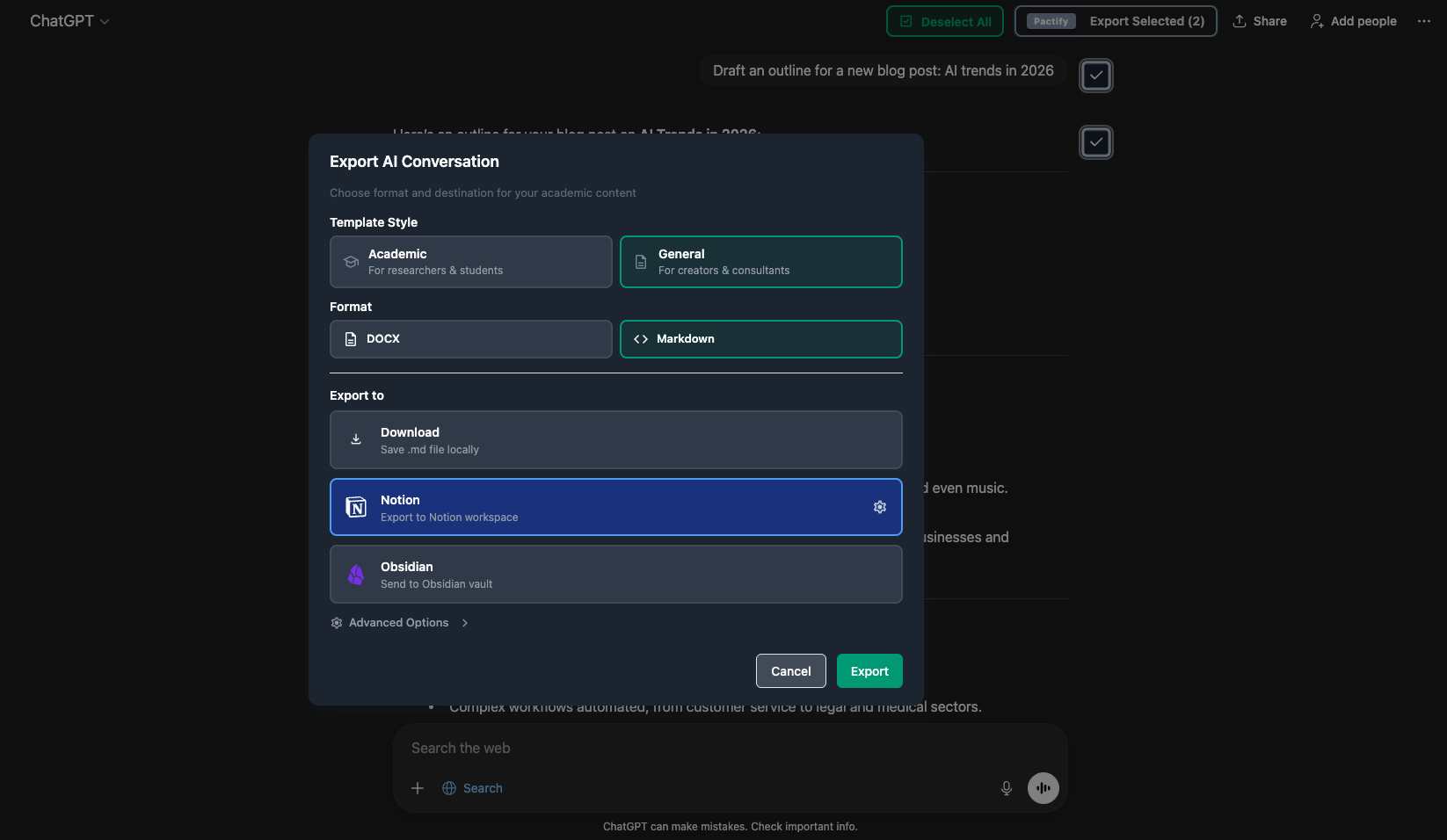
One-Click Export
Click our extension button. Choose your Notion database or page. That's it.
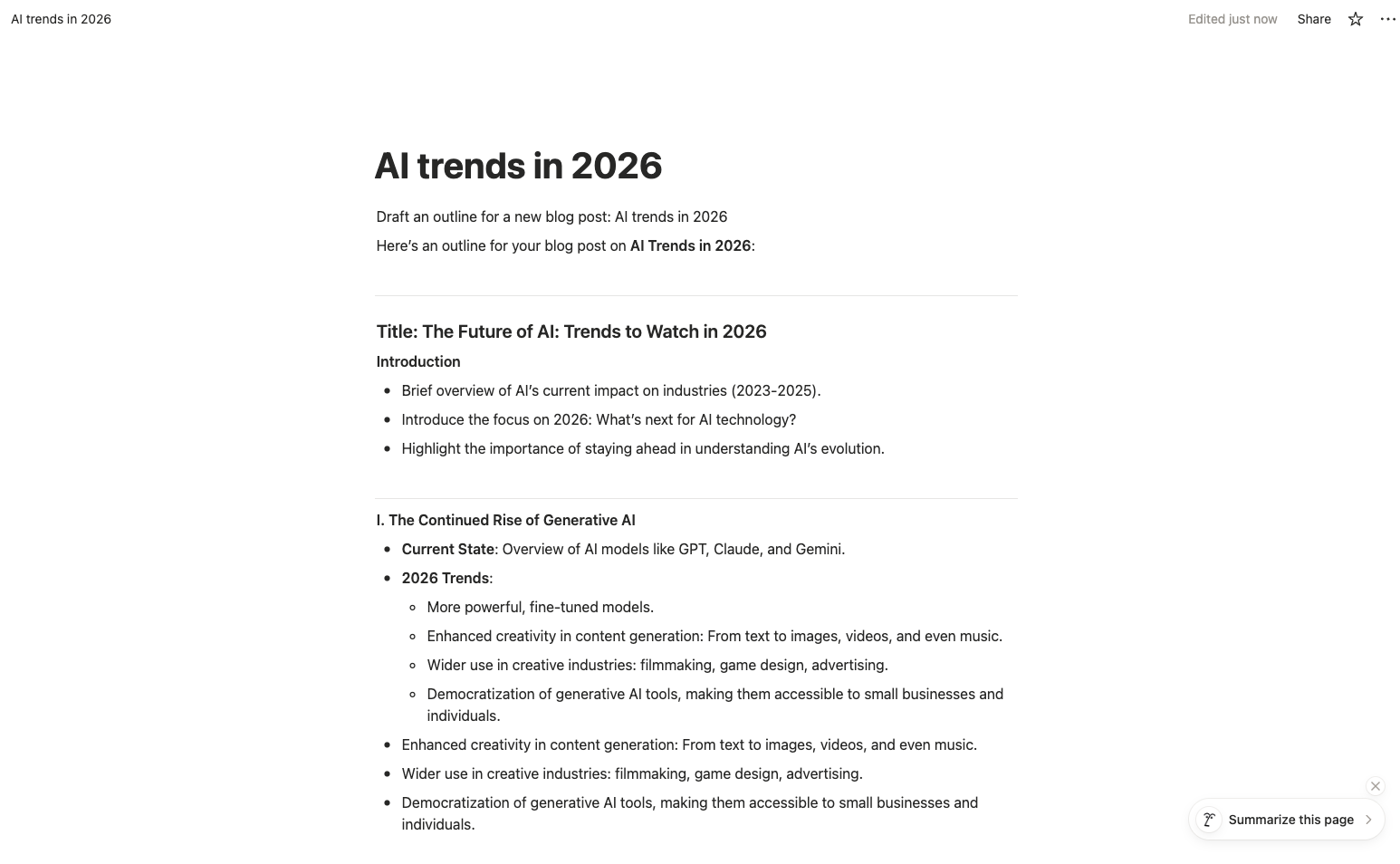
Perfect Format
Content appears in Notion with perfect formatting. Lists, code blocks, headings—all preserved automatically.
Preserves formatting
Lists, code blocks, headers
Automatic metadata
Date, topic, tags
Searchable
Find any conversation instantly
One Click. Your AI Content, Perfectly Organized in Notion.
Stop the manual madness. Start creating more.
per content creation workflow
Open AI chat interface — Generate content with ChatGPT, Claude, or Gemini
~5 min
Copy response, switch to Notion — Manual copy-paste between tools
~1 min
Paste and watch formatting break — Lists become paragraphs, code blocks turn to text
~2 min
Manually fix lists, code, spacing — Recreate all formatting from scratch
~30 min
Add to database, tag project — Manual metadata entry and organization
~15 min
Switch back to AI, repeat... — Lose creative flow with constant tool switching
Mental context lost
Weekly cost: 53 min × 10 workflows = 8+ hours of manual work
per content creation workflow
Generate content with AI — Work normally in ChatGPT, Claude, or Gemini
~5 min
Click Pactify button → Select Notion page → Done! — One-click export with perfect formatting
~1 min
Weekly savings: 47 min × 10 workflows = 7+ hours for pure creativity
Save 47 Minutes
Per conversation. That's 5+ hours per week back in your creative flow.
47
min saved
5+
hours/week
20+
hours/month
Free to start • 30 exports/month • No credit card required
Everything You Need to Organize AI Content
Built specifically for content creators who use AI and Notion daily.
Works with All AI Platforms
ChatGPT, Gemini, and Claude. One extension for all your AI conversations.
Lists stay lists. Code blocks stay code. Emojis stay emojis. Everything, exactly as AI gave it.
- Bullet & numbered lists
- Code blocks & syntax
- Headers & formatting
Export directly to Notion pages or databases. Choose your destination, we handle the rest.
Works with your existing Notion workspace structure
Connect conversations to specific projects. Never lose track of which AI chat belongs where.
- Video scripts → Video project
- Blog outlines → Blog database
- Podcast notes → Podcast tracker
Add tags, dates, and custom fields. Build a searchable content library.
All your AI conversations searchable in Notion. That perfect framework from 2 months ago? Found in seconds.
Build a reusable content library, not a conversation graveyard
Trusted by Content Creators Worldwide
Join hundreds of creators who stopped wasting time on manual organization
Sarah Chen
Newsletter Creator
"I used to spend 2+ hours every week manually copying AI content into my Notion content calendar. Now it's one click and I'm done. I can focus on writing instead of organizing."
Mike Rodriguez
YouTube Creator
"My AI scripts used to live scattered across ChatGPT threads. Now they're all organized by series in Notion. I can actually find my content ideas from months ago. Game changer for planning."
Emma Thompson
Podcast Host & Blog Writer
"I prep episodes with AI research, then everything goes straight into my podcast database. Finally I can search through old episode notes and reuse content ideas. No more recreating work."
Content Creators
Saved per Week
AI Conversations Organized
Time Reduction
Frequently Asked Questions
Everything content creators ask us about Pactify
Does this work with my Notion workspace?
Yes, absolutely. Pactify works with any Notion workspace. Simply install the Chrome extension, connect your Notion account, and you can export to any page or database you have access to. One-click export from ChatGPT, Gemini, or Claude directly to your Notion setup.
Will my formatting be preserved?
100% preserved. Lists stay lists, code blocks stay code blocks, headers stay headers. Everything transfers exactly as AI generated it. No more spending 30 minutes reformatting what took AI 5 minutes to create.
Is there a free plan?
Yes! Our free plan includes 30 exports per month—perfect for most content creators. No credit card required to start. If you need unlimited exports, upgrade to Starter plan for $4.90/month (less than one coffee).
Is my content data safe and private?
Yes, completely secure. Pactify only processes data locally in your browser and transfers it directly to Notion. We never store your AI conversations or content on our servers. All transmission is encrypted. Your creative work and drafts remain 100% private.
Which AI platforms work with Pactify?
ChatGPT, Google Gemini, and Claude. All three major AI platforms are fully supported. Use the best AI tool for each task without worrying about export compatibility.
Can I export old AI conversations?
Yes, anytime! Pactify works with your entire conversation history. Navigate to any old chat, click export, and organize months of past AI discussions into Notion retroactively.
What if I need help?
We're here for you! Email us at contact@pactify.io and we typically respond within 24 hours. Even free users get full support.
Still have questions? We're happy to help!